How On-Device Machine Learning Actually Works in Chrome
Most developers I talk to don't believe me when I say you can run a real ML model inside a browser extension without a single network call. I get it. It sounds like a marketing lie, the kind of thing a startup puts on a landing page next to a stock photo of someone pointing at a hologram. But I've spent the last six months building with this stuff daily, and I can tell you: it's real, and it's surprisingly practical. Also surprisingly annoying to get right.
I'm going to walk you through how on-device machine learning actually works inside Chrome, specifically through the lens of building and using TraceMind, whose core semantic search runs in-browser using WebGPU or WebAssembly and quantized transformer models. Optional Pro Chat is a separate provider-backed feature, and Pro licensing uses TraceMind's API.
If you're a developer wondering whether you could pull this off in your own extension, or just curious about how this stuff runs without melting a laptop, this is the article.
The "wait, WASM can do that?" moment
Here's the part that confused me initially. When you hear "machine learning in the browser," your brain probably jumps to TensorFlow.js running a MobileNet demo that classifies pictures of dogs. Cool in 2019. Not what we're talking about.
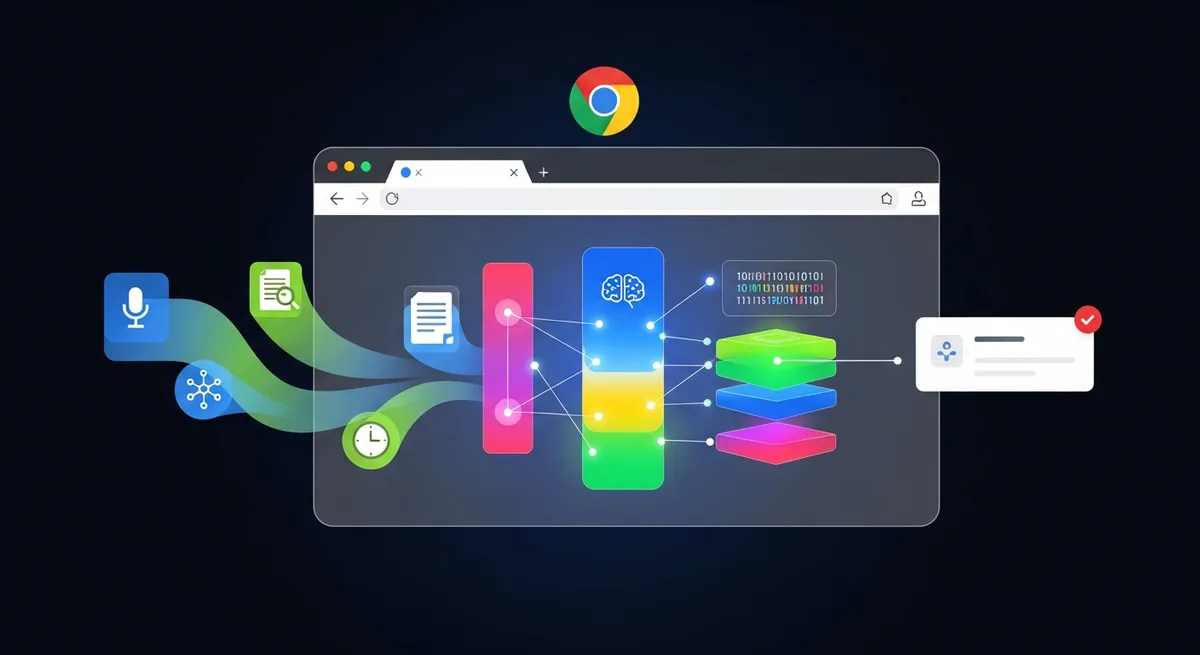
The architecture for core embedding inference in a Chrome extension uses a quantized model and WebAssembly or WebGPU inside an offscreen document. The model and the page text used for that inference stay in the extension; optional Pro Chat is a separate provider-backed feature.
TraceMind uses a model called all-MiniLM-L6-v2. If you've worked with sentence embeddings, you've probably seen it on the Hugging Face leaderboard. It's a distilled version of Microsoft's MiniLM, trained on over a billion sentence pairs. It outputs 384-dimensional vectors. Small enough to be practical. Good enough to understand that "React state management approaches" and "how to handle global state in a React app" are basically asking the same thing.
The WASM runtime handles the actual inference. No Python. No ONNX Runtime server. Just compiled C++ running in your browser's sandbox.
Why not just use an API?
I know, I know. "Just call OpenAI's embedding endpoint." I hear this constantly.
Three reasons it's a bad idea for a browser history tool:
-
Privacy is binary. Either your browsing data stays on your machine or it doesn't. There's no "we encrypt it in transit" middle ground that makes users comfortable with sending every URL they visit to a third-party server. I wrote more about why on-device matters vs. cloud approaches if you want the full argument.
-
Latency kills the UX. When you're searching your history, you expect results in milliseconds. A network round-trip to an embedding API adds 100-300ms minimum, more if you're on spotty WiFi. Local inference on a quantized model? Under 50ms for a single query embedding on most modern hardware.
-
Cost scales horribly. If your extension indexes hundreds of pages a day per user, and each page needs an embedding, you're burning API credits fast. On-device, the marginal cost of one more inference is literally zero.
Quantization: making a transformer fit in your pocket
This is the part that most developers underestimate. You can't just grab a 90MB float32 model and ship it in a Chrome extension. Chrome Web Store has size limits. Users have bandwidth limits. And loading a giant model into WASM memory is slow.
So you quantize.
TraceMind quantizes the all-MiniLM-L6-v2 model, and it also quantizes the output embeddings themselves from float32 down to uint8. That second step is worth explaining.
A single 384-dimensional float32 vector takes 1,536 bytes. Multiply that by tens of thousands of pages and you're eating real storage in IndexedDB. Quantizing to uint8 drops each vector to 384 bytes. That's roughly 87% smaller. The accuracy loss? Honestly, for the kind of "find me that article about WebSocket reconnection strategies" queries people actually run, it's negligible. I've tested this extensively. The cosine similarity rankings barely shift.
The model itself gets quantized using standard techniques (int8 weights, sometimes mixed precision). The goal is to get the model small enough that initial load is fast and memory pressure stays reasonable. You're running inside a browser, not a GPU cluster. Every megabyte matters.
The WebAssembly pipeline, step by step
Let me break down what actually happens when TraceMind processes a page you visit. This is the pipeline I wish someone had documented for me six months ago.
Step 1: Content extraction. When you navigate to a page, TraceMind uses Mozilla's Readability library (the same one behind Firefox Reader View) to pull the meaningful text content. This strips nav bars, footers, ads, cookie banners. What you get is the actual article or content body. For SPAs that use pushState/replaceState for navigation, the extension intercepts those calls to catch route changes that wouldn't trigger a normal page load event.
Step 2: Deduplication. The extracted content gets SHA-256 hashed. If you visit the same article twice, or if a page re-renders without changing its content, TraceMind skips reprocessing. Simple but important for keeping the indexing pipeline efficient.
Step 3: Compression. The raw text gets compressed with lz-string before storage. Typical compression ratio is 50-70%. This matters a lot at scale.
Step 4: Embedding generation. Here's where the ML kicks in. The cleaned text gets tokenized and fed through the quantized all-MiniLM-L6-v2 model running in WASM. The model produces a 384-dimensional vector that captures the semantic meaning of the page. This vector gets quantized to uint8 and stored alongside the compressed text in IndexedDB.
All local. All synchronous from the user's perspective (it happens in the background after page load).
What happens at search time
This is where it gets interesting for developers who care about search quality.
When you type a query into TraceMind, two things happen in parallel. The query gets embedded through the same WASM model to produce a 384-dimensional vector, and it also gets run through FlexSearch, which is a fast full-text search index.
The semantic search does brute-force cosine similarity against all stored vectors. I know "brute force" sounds bad. It's not, for this use case. The vector index is built in-house, CSP-safe (critical for Chrome extensions, which have strict Content Security Policy requirements), and operates directly on the int8 quantized vectors. There's no external vector database, no k-d tree, no HNSW index. Just straight cosine similarity computed in optimized JavaScript.
Why not use an approximate nearest neighbor algorithm? Because for the dataset sizes we're talking about (tens of thousands of pages, not millions), brute force on quantized vectors is fast enough and gives you exact results. Adding an ANN index would increase code complexity and memory usage for marginal speed gains you'd never notice.
The results from semantic search and full-text search get combined using Reciprocal Rank Fusion. RRF is elegantly simple: you take each result's rank from each search method, compute 1/(k + rank) for each, and sum the scores. Results that rank high in both systems bubble to the top. Results that only match on keywords but are semantically irrelevant get pushed down. And vice versa.
TraceMind also detects whether your query looks like a navigation query ("gmail" or "that React docs page") versus an exploration query ("articles about database sharding strategies"). The blend between semantic and keyword results shifts accordingly. Navigation queries lean heavier on keyword matching. Exploratory queries lean heavier on semantic similarity.
There's a deeper breakdown of how vector embeddings work in the browser if you want to get more into the math.
The fallback nobody talks about
Here's something that bugs me about most "on-device ML" marketing: they never tell you what happens when ML inference isn't available.
Maybe the user's machine is underpowered. Maybe WASM initialization fails. Maybe WebGPU isn't supported and the WASM backend chokes on a particularly constrained environment. What then? Does your whole search feature just break?
For this case, TraceMind falls back to Model2Vec, a distilled static embedding model. It's much smaller and faster, essentially a lookup table of pre-computed token embeddings that get averaged. The quality is lower than full transformer inference, but it still understands meaning. "JavaScript async patterns" will still match "handling promises and callbacks in JS." It won't be as precise, but it won't break.
This matters. A lot of developers ship ML features without thinking about graceful degradation, and then 5% of their users get a completely broken experience.
Things I got wrong (and you probably will too)
Let me save you some pain.
Memory management is not optional. Running a transformer model in WASM allocates a chunk of linear memory that doesn't get garbage collected in the normal JavaScript sense. If you're not careful about when you initialize and tear down the model, you'll see memory usage creep up over time. In an extension that runs continuously, this matters more than in a web app someone closes after 10 minutes.
Service worker lifecycle is hostile. Chrome can (and will) kill your extension's service worker after 30 seconds of inactivity. If your ML model takes 2 seconds to initialize and you're re-initializing it every time the service worker wakes up, your search latency is going to be terrible. You need a strategy for this. Offscreen documents help, but they have their own quirks.
CSP will ruin your day. Chrome extensions have strict Content Security Policy rules. You can't use eval(). You can't use new Function(). A lot of ML libraries generate code dynamically, which means they violate CSP out of the box. The vector index in TraceMind is built specifically to be CSP-safe, but I've seen plenty of open-source ML tools that just don't work in an extension context without modification.
Testing is harder than you think. You can't just write unit tests for "does the model produce the right embedding." You need to test the entire pipeline: extraction, tokenization, inference, quantization, storage, retrieval, ranking. Integration tests are mandatory. I learned this the hard way after a tokenizer update silently changed embedding outputs and broke search relevance for a week before I noticed.
The performance reality
Let me give you real numbers, because vague claims annoy me.
On my M2 MacBook Air, a single embedding inference (query time, not indexing) takes about 15-30ms via WASM. On an older Intel i5 from 2019, it's closer to 40-60ms. Both are imperceptible to the user. Indexing a full page (extraction through embedding storage) takes 100-300ms depending on content length. That happens in the background, so the user never notices.
Storage footprint for 10,000 indexed pages: roughly 50-80MB in IndexedDB with compressed content and quantized vectors. That's fine. Most people have hundreds of gigabytes free on their machines.
WebGPU, where available, is faster than WASM for inference. But WebGPU support in Chrome extensions is still inconsistent enough that WASM remains the reliable default.
Should you build this into your own extension?
Honestly? It depends on what you're building.
If your extension needs to understand natural language, search by meaning, or do any kind of text similarity, then on-device ML is absolutely viable in 2025. The models exist. The runtimes exist. The hardware is good enough on most machines manufactured in the last five years.
If you're doing something simpler, like URL pattern matching or keyword filtering, don't add ML just because it sounds impressive. The complexity cost is real. You'll spend weeks on WASM compilation issues, CSP compliance, memory management, and fallback paths. Only do it if the ML genuinely makes the product better.
For TraceMind, semantic search is the core feature. Understanding that "that article about React rendering performance" should find a page titled "Optimizing Re-renders in React 18" is the whole point. Keyword search alone can't do that. So the complexity is justified.
Where this is heading
The constraints are loosening fast. WASM is getting better SIMD support. WebGPU is maturing. Chrome's extension platform is slowly (painfully slowly) becoming more ML-friendly.
The hard part was never the models. Good small models have existed for a while. The hard part was the runtime environment: making inference work reliably inside a browser sandbox with strict security policies, limited memory, and a service worker that Chrome keeps trying to kill.
That's the engineering problem that took the most time. And it's the part I wish more developers understood before they either dismiss on-device ML as a gimmick or assume it's as simple as importing a library.
It's neither. It's real, it works, and it's a pain to get right. Which, if you've been doing this long enough, is pretty much how you'd describe every technology worth using.