How Long Does Chrome Keep History? The 90-Day Window
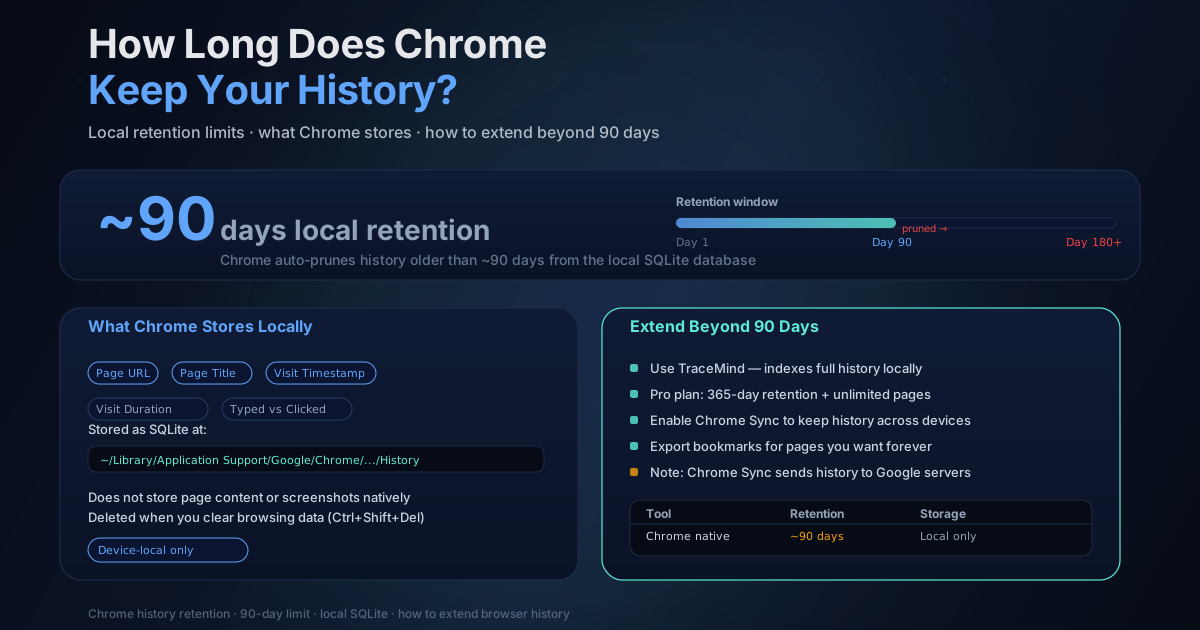
Google's Chrome Help documentation says the History page lists pages visited in the last 90 days. That is the safest way to state the limit: it describes what Chrome exposes in its History interface without inventing an undocumented fixed database size or a device-specific pruning formula.
If you need a page from earlier in the year, Ctrl+H may therefore be the wrong archive. Even inside the visible window, title and URL search can fail when you remember the content rather than the page name.
What the History page includes
Chrome's History page can include ordinary pages visited in Chrome and, when history sync is enabled, entries from other signed-in devices. Google's documentation also identifies important exclusions:
- Chrome settings and other internal pages are not listed;
- Incognito activity is not stored in the normal History page;
- clearing browsing history removes the selected entries;
- synced-device behavior depends on the account and sync configuration.
The 90-day statement should not be stretched into a promise that every visit remains visible for exactly 2,160 hours. User deletion, profile changes, enterprise policy, sync settings, and device state can all affect the record.
Chrome History and Google Account activity are different
The local History interface and activity associated with a Google Account are separate systems. Account activity depends on the services and controls enabled for that account. It should not be described as an automatic, complete backup of local Chrome history. For the account-side question, read How Long Does Google Keep Search History?, which covers Web & App Activity auto-delete choices and account-specific settings.
If you are looking for an older page, check the relevant Google Account activity controls directly. Do not enable broader account collection solely on the assumption that it will reconstruct missing page text or every prior visit.
What clearing browser data changes
Chrome's clear-browsing-data dialog separates browsing history from cached images and files, cookies, and other categories. Clearing only cache does not mean the same thing as selecting browsing history.
Before confirming the dialog:
- check the time range;
- review every selected category;
- consider whether sync will propagate deletion;
- export anything you need to retain.
Chrome does not present a recoverable trash folder for cleared history.
Ways to preserve a longer record
Periodic exports
An export keeps URL metadata outside Chrome before it disappears from the History page. The trade-off is maintenance: exports become separate files, exact schedules are easy to miss, and they do not automatically contain the readable page text you saw.
Bookmarks or saved pages
Bookmarks are durable when you remember to create them. They work well for a curated set of references, but they do not capture every page you later discover was useful.
A separate local index
A history extension can capture eligible pages as you browse and maintain its own index. This separates retrieval from Chrome's 90-day History-page window.
TraceMind's new installations default to keeping captured history until the user selects a shorter retention window. Saved pages are not automatically pruned, there is no TraceMind page cap, and browser storage capacity still applies.
Chrome-history import is a different feature. It currently reaches back up to 365 days and can import visit metadata, but it cannot reconstruct historical page text, screenshots, or embeddings for pages TraceMind did not capture when they were visited.
Privacy and encryption trade-offs
TraceMind's core capture, indexing, search, screenshots, and analytics run locally. Free local storage does not have TraceMind passphrase encryption. Pro can optionally encrypt local content and new encrypted backups.
Optional Pro Chat is not an offline-local operation: it sends the user's question and selected matching excerpts, titles, and URLs directly to the configured AI provider. TraceMind does not proxy or store those requests.
Any extension with history or broad page access deserves a permission and privacy review. A longer local record is useful, but it also increases what someone with access to the browser profile could see.
A quick comparison
| Method | What it preserves | Main trade-off | |---|---|---| | Chrome History page | Recent URL/title visit record | Documented 90-day visible window | | Google Account activity | Activity saved under account settings | Remote account storage and configuration dependency | | Manual export | Point-in-time metadata file | Ongoing manual work | | Bookmarks | Intentionally saved URLs | Requires a save decision | | TraceMind local index | Captured eligible page text and metadata | Browser storage, permissions, and device access |
The honest bottom line
Treat Chrome's History page as a recent-activity interface, not a preservation system. If older research matters, choose a separate retention method before the source record is gone, and understand whether that method stores only URLs, captured text, screenshots, or provider-backed AI context.
For recovery tactics, read How to Find Pages You Visited Weeks Ago. For a permission-focused review, see Chrome Extension Privacy Risks: How to Stay Safe.