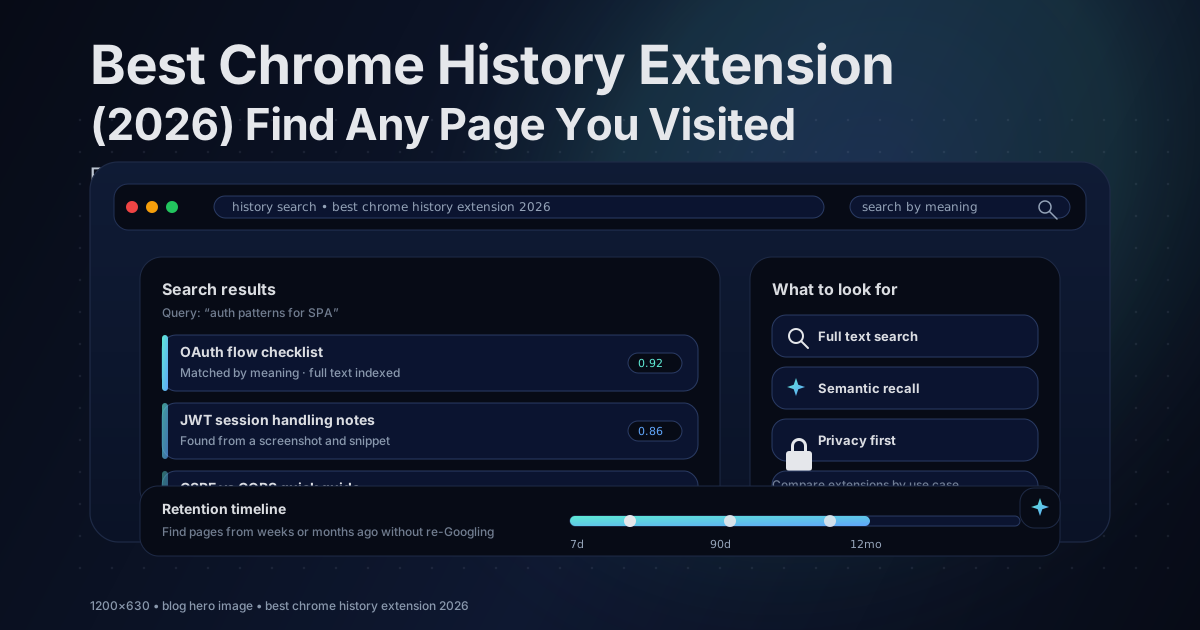
Best Chrome History Extension (2026) Find Any Page You Visited
Updated February 2026
If you are searching for the best Chrome history extension in 2026, the real question is not which one has the prettiest UI.
It is this: can it help you find pages by content and meaning, not just titles and URLs.
If you have ever thought:
I read the perfect article last week where did it go
You already know the core problem. Chrome History is not built for recall. It is built for quick lookups when you remember the exact site name, page title, or a specific keyword.
Real browsing does not work like that. We remember meaning. A topic. A screenshot. A code snippet. The layout of a page.
In 2026, there are finally solid options, from better history managers, to full text indexing, to a newer category that is growing fast: private on device AI style history search.
The quick answer
Best overall for privacy and recall: TraceMind
If your main pain is I cannot find what I already saw, TraceMind is built for on device semantic search, full text indexing, and screenshots stored locally.
To understand the two big ideas behind this, these posts help:
How to search Chrome history by content, not just titles
Chrome history search mostly relies on page titles and URLs. That works only when you remember the exact words.
If you want to search browser history by content, you need a tool that indexes the full page text so you can search inside what you read, not only the tab title.
If you want to search by meaning, you need semantic search so you can describe what you remember in normal language. That is the difference between searching for a phrase and searching for an idea.
If you care about permissions and safety while installing history tools, read this before you install anything:
What best means for history extensions in 2026
Before you install anything, decide what you are optimizing for.
Can it search page content, not just titles and URLs
If it only searches titles and URLs, you will still miss a lot of what you want.
Can it search by meaning, not just keywords
Keyword search is brittle. Semantic search lets you describe what you remember naturally.
Where does your history data live
History is one of the most sensitive datasets you have. Some tools keep it local. Others upload it.
Does it keep history longer than the built in history UI
If you want long term recall, you need a tool that stores more than what the default interface is comfortable handling.
Does it support visual recall with screenshots
Sometimes you do not remember the words. You remember what the page looked like.
Can you export, delete, filter, and control it
For a lot of people, history search is not the only need. Cleanup, backups, and analytics matter too.
Comparison table (2026)
A quick cheat sheet to narrow down your shortlist.
| Extension | Best for | Full text | Semantic | Screenshots | Storage |
|---|---|---|---|---|---|
| TraceMind | Private recall by meaning | ✅ | ✅ | ✅ | Local |
| History Trends Unlimited | Unlimited retention plus analytics | ⚠️ keyword | ❌ | ❌ | Local DB |
| Better History | Search plus bulk export, delete, filters | ⚠️ keyword | ❌ | ❌ | Built in history tools |
| Retrospective History | Local full text search, no AI | ✅ | ❌ | ❌ | Local index |
| Full Text Tabs Forever | Full text plus permanent history feel | ✅ | ❌ | ❌ | Local index |
| History Plus | Retention beyond 90 days plus backups | ⚠️ keyword | ❌ | ❌ | Local |
| Browser History Plus | Calendar view plus organization plus cleaning | ⚠️ keyword | ❌ | ❌ | Varies |
| History+ | Drill down browsing by time blocks | ❌ | ❌ | ❌ | Built in history |
| Recent History | One click recent stuff plus closed tabs | ❌ | ❌ | ❌ | Built in history |
| Visual Time Travel | Visual timeline browsing | ❌ | ❌ | ✅ | Varies |
| Memex | Research plus highlights plus annotation plus spaces | ✅ saved | ⚠️ varies | ❌ | Varies |
| histre | Cloud plus notes plus cross device workflows | ❌ or ⚠️ | ❌ | ❌ | Cloud |
| Memory Lane | What was I doing 1 to 12 months ago | ❌ | ❌ | ❌ | Local |
| Heyday | AI resurfacing plus app integrations | ✅ | ✅ | ❌ | Cloud |
| Web Historian | Browsing analytics and habit tracking | ❌ | ❌ | ❌ | Local |
Full text means it indexes the content of pages, not only titles and URLs.
Storage varies means you should read the listing carefully because some tools stay local and some sync data.
TraceMind is the best overall history extension in 2026
I am biased here because I built it, but TraceMind exists for one reason: Chrome History fails exactly when recall matters.
TraceMind turns your browsing history into a private search engine that runs on your device. It indexes full page content, captures screenshots, and lets you search by meaning instead of relying on keyword luck.
Why TraceMind wins if recall is your number one problem
- Search by meaning in normal language, plus keyword and hybrid modes when you want precision
- Full text indexing with similarity scores so you can tell why a result matched
- Screenshots and a visual feed because recognition beats memory
- Local first design, no account required, works offline, data stays on your device
- Privacy focused storage with encryption at rest
- Retention and backups with encrypted export and import options depending on your plan
- Chrome History Import (free) — import your existing Chrome history for instant text search by title and URL, with full semantic search once you revisit pages
If you want the deeper story behind the product direction:
- /blog/why-i-built-tracemind
- /blog/on-device-ai-browser-extensions-explained
- /blog/privacy-first-extensions-ondevice-vs-cloud
Who it is best for
Developers and researchers who constantly revisit docs and deep links
People who remember topics and meaning, not exact titles
Privacy minded users who do not want browsing history shipped to a server
Anyone who wants screenshots for visual recall
When you might pick something else
You mainly want analytics charts: History Trends Unlimited
You mainly want export and cleanup tools: Better History
You want full text keyword search only: Retrospective History or Full Text Tabs Forever
You want research workflows and highlighting: Memex
You want a visual screenshot timeline: Visual Time Travel
Best for unlimited retention plus analytics: History Trends Unlimited
If your main goal is keeping history longer and seeing patterns, History Trends Unlimited is a strong pick.
It stores history into its own local database and focuses on charts, stats, keyword search, and export.
Best for
Long term retention beyond the default experience
Domain and time analytics
Exporting data for your own analysis
Not ideal if
Your biggest problem is remembering the topic, not the words
You want screenshots or meaning based search
Best for managing, exporting, and cleaning history: Better History
Better History is a history manager. It improves search and makes bulk actions easier.
If your workflow is searching often, deleting often, exporting often, and filtering by time, this category is for you.
Best for
Bulk delete and cleanup
Exporting history to CSV or HTML and keeping your own backups
A more usable history UI without heavy indexing
Not ideal if
Your core issue is recall by meaning or full text search
Best for full text history search without AI: Retrospective History and Full Text Tabs Forever
This is the I remember a phrase from the page category.
Retrospective History is a straightforward full text indexer that can feel like a big upgrade from the default history search.
Full Text Tabs Forever is another full text option, built around the idea that the content you read should stay searchable over time.
The honest limitation is simple: keyword tools still require you to remember the words. If your memory is more like it was about auth flows but I do not remember the heading, semantic search usually wins.
Best for retention and backups: History Plus and Browser History Plus
If your biggest frustration is history retention, these tools focus on storing more and managing it better.
History Plus leans into saving more history with import, export, and backup style features.
Browser History Plus takes a dashboard approach with calendar views and a guided way to browse older sessions.
Best for visual recall: Visual Time Travel
Some people do not remember text first. They remember what the page looked like.
Visual Time Travel is built around screenshots. It captures them as you browse and lets you scroll a visual timeline so you can find pages by recognition.
Best for research workflows: Memex
Memex is less history replacement and more research assistant.
It is a great fit if you want highlights and annotations, organization into spaces, and full text search across what you saved.
Best for AI resurfacing and app integrations: Heyday
Heyday takes a different approach. Instead of just recording what you visit, it resurfaces relevant pages while you browse. Searching something on Google? Heyday shows you related pages from your own history alongside the results. It integrates with apps like Notion and Slack.
The downsides: Heyday requires an account and stores your data on their servers. It is cloud first. Pricing is $19 per month, which is steep for a history tool. Best for people who do heavy research and want deep app integration, and are comfortable with cloud storage.
Best for browsing analytics: Web Historian
Web Historian focuses on data analysis rather than search. It tracks your browsing and presents insights: which sites you visit most, when you browse, how your patterns change over time.
This is interesting if you want to understand your own browsing behavior. Not useful if your main problem is finding a specific page you visited last week.
Lightweight helpers: Recent History, History+, and Memory Lane
Not everyone needs a full indexer.
Recent History is great for quick access to recent pages and recently closed tabs.
History+ is helpful if you browse by time blocks.
Memory Lane is a fun time travel view that can be surprisingly useful for resurfacing old work.
A trend to watch: AI powered history search inside Chrome
Chrome has started rolling out an optional AI powered history search experience in some setups. It is still early, and availability can depend on region, account, and settings.
If you want the official reference, start here:
- https://support.google.com/chrome/answer/15305774
Even if this improves over time, dedicated tools still tend to lead on full text indexing, screenshots, and privacy controls.
Quick decision guide
TraceMind if you want semantic search, full text, screenshots, and local privacy
History Trends Unlimited if you want retention plus analytics
Better History if you want export, cleanup, filters, and management
Retrospective History or Full Text Tabs Forever if you want full text keyword search with no AI
Memex if you want highlights, research workflows, and organization
Visual Time Travel if you want a screenshot timeline
Recent History if you want quick recent access
History+ or Browser History Plus if you want calendar and time based browsing
histre if you want cloud syncing and cross device workflows
Heyday if you want AI resurfacing with app integrations and don't mind cloud storage
Web Historian if you want browsing analytics and habit tracking
Memory Lane if you want monthly browsing reminders
Are history extensions safe: a 60 second checklist
History extensions need powerful permissions. That is normal.
Before installing any history extension, check:
- Where does your data live
- Does anything leave your device
- Does it work offline
- Is there a clear privacy policy
- What happens on uninstall and can you export first
- How often is it updated and do you trust those updates
FAQ
What is the best Chrome history extension in 2026
If you want to find pages by meaning and keep history private, the best overall pick is a tool that combines semantic search, full text indexing, local storage, and ideally screenshots.
Can Chrome search the full text of pages I visited
Chrome history search is mostly titles and URLs. Full text search requires an extension that indexes page content.
How do I keep my browsing history longer than Chrome’s default
Use an extension that stores history in its own database or index, and ideally supports export and backup.
What is the difference between keyword search and semantic search
Keyword search matches exact words. Semantic search matches meaning, so you can describe what you remember in normal language.
Do screenshots actually help
Yes. If you have strong visual memory, screenshots can make recognition instant even when titles are useless.
If you want the best overall, join TraceMind
TraceMind is built for the moment Chrome History fails: when you remember meaning, not titles.
If you want private on device semantic search plus full text and screenshots:
Add TraceMind to Chrome - It's Free
You might also like: