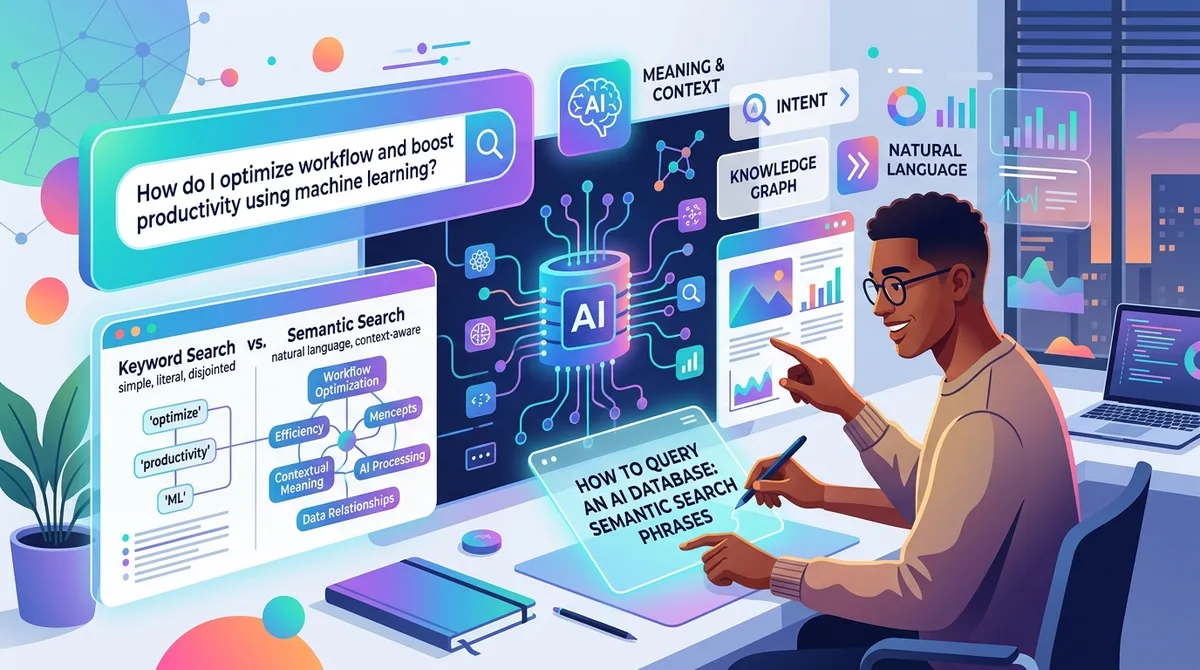
Semantic Search Phrases: How to Query an AI Database
Short version first.
You can stop guessing keywords now. That's the whole promise, and after six months of leaning on this every day, I still find it a little unreasonable that it works.
Here's the thing that used to happen to me constantly. I'd read some article about, say, sourdough starter troubleshooting. Two weeks later I need it. I open my history, type "sourdough," and get either nothing useful or forty results, none of them the one. Because the page didn't have "sourdough" in the title. It had some clever headline like "Why Your Bread Hates You." Great for the writer's ego. Useless for me finding it later.
That gap, between how you remember something and how it was actually worded, is the entire problem semantic search solves. Once you understand how to phrase your queries for it, you stop fighting your own memory.
What "semantic" actually means (in plain words)
Keyword search matches letters. You type "car repair," it looks for the literal string "car repair" somewhere in the text. If the page said "fixing your vehicle" instead, tough luck. No match.
Semantic search matches meaning. Under the hood, the tool converts your query into a list of numbers (a vector, if you want the technical word) that represents the concept, not the spelling. Then it finds pages whose meaning sits closest to yours. So "car repair" and "fixing your vehicle" land right next to each other, because they mean roughly the same thing.
I wrote about the difference between semantic and keyword search in more depth if you want the full breakdown. But you don't need the theory to use it. You just need to change how you type.
Stop typing keywords. Start typing memories.
This is the mental shift, and honestly it took me a couple of weeks to fully trust it.
Old habit: reduce your thought to two or three "important" words. "engine noise." "clicking sound." You're doing the tool's job for it, badly, because you're guessing which words the page used.
New habit: type the thing the way you'd say it out loud to a friend. Something like:
"that forum post about my engine making a clicking noise when I turn left"
That's a full sentence. It's messy. It has words like "that" and "when" that a keyword system would just ignore or choke on. And it works better, not worse, because every extra detail gives the meaning-match more to grab onto.
I do this dozens of times a day now. "The article that compared three standing desks and said the cheap one was fine." "That recipe with the weird amount of butter." "The GitHub issue where someone had the same WASM error as me." I'm not searching for words anymore. I'm describing the memory.
The queries that actually work best
After enough trial and error, I've noticed the phrasings that consistently pull the right result. A quick rundown of what I reach for:
- Describe the content, not the title. You almost never remember titles. You remember what the thing said. Lead with that.
- Include the emotional or situational context. "The blog post that convinced me to cancel my gym membership" works shockingly well, because "convinced me to cancel" is meaningful signal.
- Add the specific detail that stuck. A number, a name, a weird phrase. "The one that mentioned a $47 pour-over kettle." Specifics narrow it down fast.
- Don't over-edit. Typos and half-sentences are fine. The model reads meaning, not spelling.
What bugs me about most "how to search better" advice is that it tells you to be precise. Use exact terms. Add quotation marks. Boolean operators. That advice made sense in 2010. For a meaning-based system it's actively counterproductive, because precision assumes you remember the exact words, and the entire reason you're searching is that you don't.
So be vague. Be conversational. Ramble a little. The system is built for it.
A real example from last week
I was writing a piece about local-first software and I knew I'd read something months back about why some developers picked one database over another. Couldn't remember the site. Couldn't remember the author. Couldn't remember a single keyword that would've been in the title.
What I remembered was the argument. So I typed: "the post that explained why they went with a local database instead of cloud for privacy reasons."
Top result. It was a comparison of on-device and cloud extension architectures, which, funnily enough, I'd read on TraceMind's own blog and completely forgotten. The title had none of the words I searched. Didn't matter. The meaning lined up.
That's the moment the tool earns its keep. Not when you know exactly what you want, but when you almost know.
It's not magic, though
Let me be honest about the limits, because I hate guides that oversell.
The tool can only find pages you actually visited and that got indexed. It reads and stores the real text content of pages as you browse (using Mozilla's Readability, the same thing that powers reader mode), so it's working off what you genuinely saw. If you never opened the page, it's not in there. Obvious, but worth saying.
Very short pages, or pages that are mostly images with no text, give the meaning-match less to work with. A recipe that's basically one photo and a link isn't going to match a detailed description, because there's barely any text to compare against.
Sometimes your phrasing is so far off from the actual content that it misses. Rare, but it happens. When it does, I just re-describe it from a different angle. Instead of "the article about productivity apps," I'll try "the review that trashed every to-do list app for being too complicated." Different words, same memory, better hit.
The nice part is you're not penalized for trying again. There's no cost to a second phrasing. I probably rephrase one query in ten.
Why the "hybrid" bit matters (briefly)
Here's a detail I appreciate as someone who searches all day. Good semantic search doesn't only do meaning. Meaning-only search is weirdly bad at one specific thing: finding an exact term you actually remember, like a product model number or a person's exact name.
TraceMind handles this by running both at once. There's the meaning-based side, and a traditional full-text search that finds literal word matches, and it blends the two results together with a method called Reciprocal Rank Fusion. You don't have to think about any of that. But the effect is nice: if you type a vague description, meaning wins. If you type an exact term, the literal match surfaces. It even senses whether you're trying to navigate to one specific thing versus explore a topic, and shifts the blend.
The reason I mention it: some tools go all-in on semantic and then fumble the easy stuff, like when you literally type the right word and it can't find it. Having both means you get the best of describing-a-memory and typing-the-exact-thing, without choosing.
If you're the type who wants to know how the embeddings actually run inside your browser, there's a whole post on it. Short version: the model runs on your machine, in the browser, and nothing gets shipped off to a server to make this work.
How I structure my own queries now
A few habits I've settled into, in case they save you the fumbling I went through.
I front-load the most distinctive thing I remember. If the standout detail is that the article was ranting about a specific brand, I lead with the rant. "The angry review of the Herman Miller chair." The strong signal goes first.
I don't worry about grammar. "video where guy fixes leaky faucet without plumber" is a perfectly good query. It reads like a caveman wrote it. Works fine.
When I'm searching for something I saved deliberately, versus something I just stumbled past, I sometimes narrow to my saved pages. TraceMind lets you bookmark pages into a Saved-only view, and those never get auto-cleaned, so if I know I filed something away on purpose, I look there first. Less noise.
When a first query gives me a cluster of near-misses, that cluster is actually useful. It tells me I'm in the right neighborhood. I just add one more detail to zero in. Think of it like giving someone directions: "downtown" gets you close, "the coffee shop next to the bookstore" gets you there.
One more thing. Don't be shy about searching for feelings or reactions. "the thing that made me laugh about corporate jargon." "the article I disagreed with about remote work." These work because the page's tone and argument are part of its meaning, and the model picks up on more than you'd expect.
Where this leaves the old way of searching
I still use Ctrl+H occasionally out of muscle memory, and every single time I'm reminded why I switched. Chrome's built-in history searches titles and URLs. That's it. If the words you remember weren't in the title, you're scrolling. Manually. Through days of history.
I dug into why Chrome's history search leaves you stranded elsewhere, so I won't relitigate it here. The point for this guide is simple: the old way makes you translate your fuzzy memory into precise keywords, which is the one thing your brain is bad at. Semantic search meets you where your memory actually is. Vague, associative, tied to context.
You can grab TraceMind and the full search engine is free, same ranking the paid version uses. Search was never the thing they charge for, which I respect. So there's no reason not to just try describing a memory and see what comes back.
Give it a week. Type like you talk. I think you'll stop wanting to go back.
FAQ
What is a semantic search phrase?
A semantic search phrase is a query written in natural, everyday language that describes the meaning of what you're looking for instead of exact keywords. For example, "the forum post about my engine making a clicking noise" instead of just "car repair." The search tool matches concepts, so your loose description can find a page even when it shares no exact words with what you typed.
How do I search for a website when I don't remember the exact words?
Describe the content the way you'd explain it to a friend. Say what the page was about, mention any detail that stuck with you (a number, a name, an argument it made), and don't worry about matching the actual wording. A meaning-based search converts your description into a concept and finds the closest match, so remembering the gist is enough.
I keep reading great articles and then forgetting where I saw them. How do I find them again later?
You find them by describing what they said, not by recalling the title or URL. A semantic search tool that indexes the real text of pages you visited lets you type something like "the article that convinced me to switch coffee brands" and surfaces it by meaning. As long as you actually opened the page and it got indexed, the exact words you use don't have to match.
Does semantic search still work for exact terms like product names?
Yes, when the tool combines semantic search with traditional full-text search. Meaning-based search alone can be weak at pinpointing an exact model number or a specific name, so good tools run both at once and merge the results. That way a vague description finds pages by concept, while an exact term still surfaces its literal match.
Is describing what I remember better than typing keywords?
Usually, yes, for finding pages you've already visited. Keywords assume you remember the exact wording, which is the thing your memory is worst at. A full descriptive phrase gives the search more context to work with, so more detail generally means a better match, not a worse one.