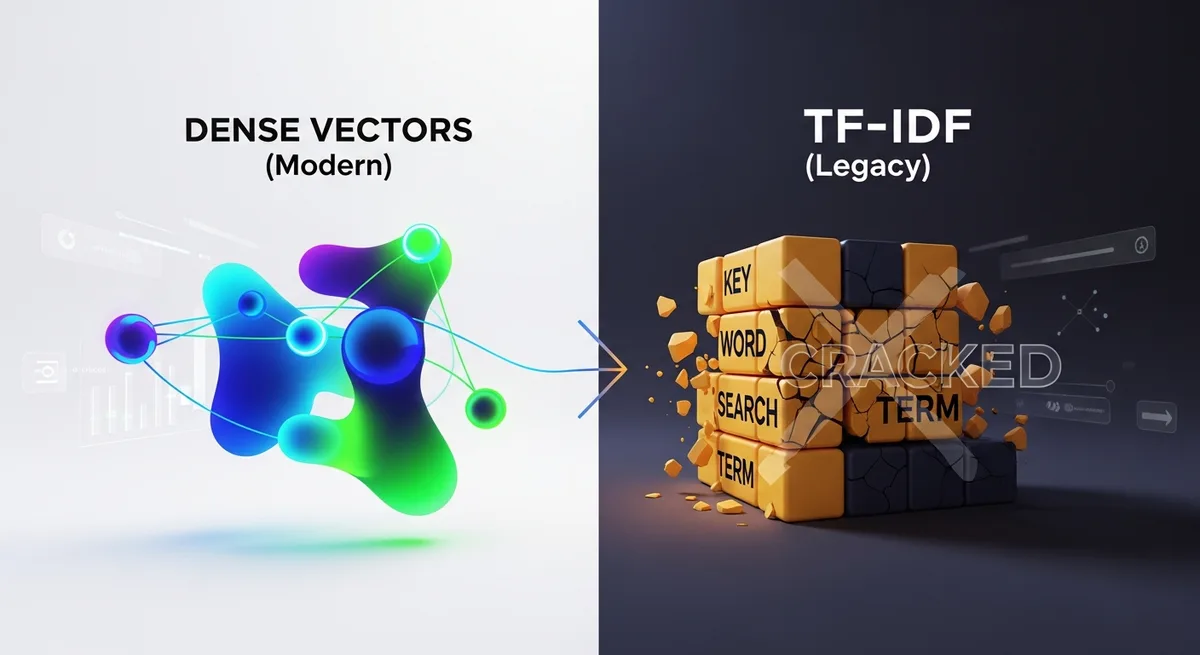
Dense Vectors vs. TF-IDF: Why Keyword Search is Dying
Last Tuesday I spent twenty minutes trying to find a blog post I'd read about optimizing PostgreSQL connection pooling. I remembered the gist: the author argued that most teams set their pool sizes way too high, and the fix was counterintuitive. I remembered a diagram with colored bars. I remembered it was on someone's personal blog, not a big publication.
What I didn't remember was a single distinctive keyword from the title or URL. My brain had stored the concept, not the vocabulary. So I sat there, typing variations into Chrome's address bar like a fool. "postgres connection pool too large." "pgbouncer pool size mistake." "database connections fewer is better." Nothing useful came back, because Chrome's history search matches against titles and URLs, and whatever the author had titled their post, it wasn't any of those phrases.
This is the problem I think about constantly now. Not as an abstract computer science question, but as a daily, practical annoyance that I accidentally solved six months ago when I started using a tool built on dense vector embeddings instead of keyword matching.
But I'm getting ahead of myself. Let me explain why the search technology you probably learned in college is failing you, and what's replacing it.
TF-IDF: a quick, honest refresher
TF-IDF (Term Frequency-Inverse Document Frequency) is elegant in the way a pocket watch is elegant. Beautiful mechanism. Genuinely clever for its era. And increasingly outclassed by what came after.
The core idea is simple. You count how often a word appears in a document (term frequency), then weight it by how rare that word is across all documents (inverse document frequency). Words like "the" get crushed to near-zero importance because they're everywhere. A word like "pgbouncer" gets boosted because it's uncommon.
This works surprisingly well when you know the right words. If the PostgreSQL blog post had "pgbouncer" in its title and I searched for "pgbouncer," TF-IDF would nail it. The math is straightforward, the indexes are fast, and there's a reason Elasticsearch made a billion-dollar business on top of BM25 (TF-IDF's slightly fancier cousin).
Here's what bugs me about how people talk about TF-IDF though: they describe its limitations like they're edge cases. They're not edge cases. They're the default case for how humans actually remember things.
The vocabulary mismatch problem is not an edge case
Think about how you recall information. Right now, try to remember an article you read last week. Any article.
What came to mind first? Probably a feeling, a visual layout, a concept, maybe the general topic. Probably not the exact headline. Almost certainly not a rare keyword from paragraph six.
This is what researchers call the "vocabulary mismatch problem," and I think it's the single biggest reason traditional search feels broken for personal information retrieval. TF-IDF can only find what you can name. Dense vectors can find what you can describe.
Three specific scenarios where this kills keyword search:
- Synonyms. You search "car" but the document says "vehicle." TF-IDF sees zero overlap. Literally zero. These are different tokens.
- Conceptual memory. You remember reading about "that technique where you pre-compute API responses," but the article called it "edge caching." Good luck with keyword matching.
- Cross-language jargon. The frontend team calls it "state management," the backend team calls it "session persistence." Same concept, different vocabulary.
TF-IDF treats each of these as a total miss. Not a partial match. A miss.
So what are dense vectors, actually?
If you've worked with word2vec, GloVe, or any transformer-based model, you've touched dense vectors. But let me explain it the way I wish someone had explained it to me, without the linear algebra intimidation.
A dense vector is a list of numbers (typically 100 to 1,000+ floats) that represents the meaning of a piece of text. Not the words. The meaning. When a neural network encodes "PostgreSQL connection pool sizing best practices" into a vector, that vector ends up mathematically close to vectors for "how many database connections should I use" and "optimizing pg pool configuration," even though those sentences share almost no keywords.
The "dense" part just means most values in the vector are non-zero. Compare that to TF-IDF vectors, which are sparse: if your vocabulary has 50,000 words, each document becomes a 50,000-dimensional vector where 99.9% of the values are zero. Only the words that actually appear get non-zero entries.
Dense vectors are compact. A 384-dimensional embedding carries more useful information than a 50,000-dimensional sparse vector, because every single dimension is doing work, encoding some learned aspect of meaning.
Here's a rough comparison:
| | TF-IDF / BM25 | Dense Vectors | |---|---|---| | What it matches | Exact tokens | Semantic meaning | | Vector size | Vocabulary-sized (huge, sparse) | Fixed, small (e.g., 384-dim) | | Handles synonyms | No | Yes | | Handles typos | No (without preprocessing) | Partially | | Needs training data | No | Yes (pretrained models available) | | Interpretable | Very (you can see which words matched) | Not really (black box) | | Speed at scale | Fast (inverted indexes) | Slower (ANN search needed) |
That interpretability row matters. I'll come back to it.
Why I stopped trusting keyword search for my own history
I've been using TraceMind for about six months now, and it's become my test bench for this exact comparison. The extension runs a model called all-MiniLM-L6-v2 (384 dimensions) directly in the browser via WebGPU or WASM. No server roundtrip. Your page content gets embedded locally, stored locally, searched locally.
What made me pay attention is that it doesn't just go all-in on vectors. It runs a hybrid system: semantic vector search alongside traditional full-text search (powered by FlexSearch), then merges the results using Reciprocal Rank Fusion. I've written more about how vector embeddings work in your browser if you want the implementation details.
The part that sold me, though, was that PostgreSQL blog post I mentioned at the top. I typed "article arguing you should use fewer database connections than you think" into TraceMind's search. Natural language. A description of what I remembered, not what the author had written.
It found it in under a second. The post was titled something completely different (something like "Why You Should Reduce Your Database Connection Pool Size," which is close enough conceptually, but my phrasing shared almost no exact terms).
Keyword search would have choked on that query. Dense vectors understood it.
Vectors aren't magic, and I should be honest about that
I'm not going to pretend dense vectors are universally better. That would be dishonest, and also wrong.
There are real weaknesses. If you search for a specific error code like ECONNREFUSED or a function name like pgBouncer.getClient(), you want exact matching. A semantic model might understand that it's related to database connections, but it could easily rank a general article about connection errors above the specific Stack Overflow answer with that exact error code.
This is why the hybrid approach matters. Pure vector search is too fuzzy for precise lookups. Pure keyword search is too rigid for conceptual recall. The interesting engineering is in combining them.
TraceMind detects whether you're "navigating" (looking for a specific known page) versus "exploring" (trying to find something you vaguely remember) and adjusts the keyword-to-vector blend accordingly. I don't know of many production systems doing this kind of intent-based reranking at the browser level. It's the kind of semantic and keyword fusion that more tools should be exploring.
The compression trick that makes this practical
One thing that surprised me when I started digging into TraceMind's implementation: they quantize embeddings from float32 down to uint8. That's roughly an 87% reduction in vector storage size.
Wait, what?
Yeah, I had the same reaction. If you're an ML engineer, your instinct is probably that quantizing 32-bit floats to 8-bit unsigned integers would destroy your search quality. And for tasks like fine-grained image classification, it might. But for cosine similarity over text embeddings, the quality loss turns out to be minimal. The relative ordering of results stays mostly intact, which is what matters for search ranking.
This is a big deal for a browser extension. You can't just spin up a FAISS index or a Pinecone instance. Everything lives in IndexedDB. Every byte counts. Quantized uint8 vectors mean you can store thousands of page embeddings without bloating the user's browser storage.
They also compress stored page content 50-70% with lz-string. When you're running an entire search engine inside a Chrome extension, these optimizations are the difference between "works fine" and "why is my browser using 2GB of RAM."
The death of keyword search is exaggerated (but only slightly)
I chose a dramatic title. I know. Keyword search isn't dying in the way that floppy disks died. BM25 is still running underneath most search engines you use daily, including Google's.
But for personal information retrieval? For the "what was that thing I read last week" problem? Keyword-only search is already dead. Most people just don't realize it yet because they've normalized the failure rate.
Think about it. How often do you fail to find something in your browser history? Once a day? Once a week? You probably don't even register most failures because you've been trained to just Google it again, find the link again, re-read the page again. You've accepted redundant work as the cost of having a bad search tool.
The shift from sparse to dense representations is the biggest change in search since PageRank, and I'm not being hyperbolic. It just hasn't fully reached consumer products yet. Most browser history tools still match on titles and URLs, which is like searching a library by only reading the spines of books.
What about the latency question?
Fair objection. TF-IDF with inverted indexes is fast. Like, microseconds-per-query fast. Dense vector search requires computing cosine similarity against potentially thousands of vectors, which is computationally heavier.
For server-side systems, this is solved with approximate nearest neighbor algorithms (HNSW, IVF, etc.). But TraceMind runs a brute-force cosine similarity search directly in the browser, with no external vector database or hosted vector lookup. Just raw dot products computed locally.
And honestly? It's fast enough. For a personal history index of a few thousand pages, brute-force cosine over 384-dimensional uint8 vectors is practically instant on modern hardware with WebGPU. You don't need HNSW when your dataset fits in a few megabytes of RAM.
This won't scale to millions of documents. It doesn't need to. Your browsing history isn't a million documents. And if on-device ML ever hiccups (older hardware, some browser configurations), TraceMind falls back to a distilled static embedding model (Model2Vec) so you still get semantic understanding instead of a broken search bar. That's a thoughtful fallback.
My actual workflow now
Here's what a typical search looks like for me these days. I remember reading something about "why React Server Components don't actually reduce bundle size in all cases." I don't remember the URL, the author, or the title.
Old workflow: open Chrome history, try five keyword combinations, give up, Google it, spend ten minutes trying to figure out which result was the one I originally read.
New workflow: Cmd+Shift+Space (TraceMind's shortcut), type "react server components bundle size not always smaller," get the result. Click. Done.
The difference isn't huge in any single instance. Maybe five minutes saved. But across a week, across six months, I've stopped losing things. That's a genuinely different relationship with the web.
Where this is all going
Chrome will probably ship some version of semantic history search within two years. But it'll phone home to Google's servers to do it, which defeats the purpose for a lot of us. The locally run alternative, where embeddings are computed on your machine and nothing touches a server, will keep mattering for anyone who'd rather not trade privacy for convenience. You can see what that looks like in practice at the TraceMind features page.
Until then, I'll keep using a 384-dimensional vector to find the stuff my brain stored as vibes.